
Every building. One calm place.
Requests, repairs, approvals, bills and residents in one app for your team and one for your residents.
Early access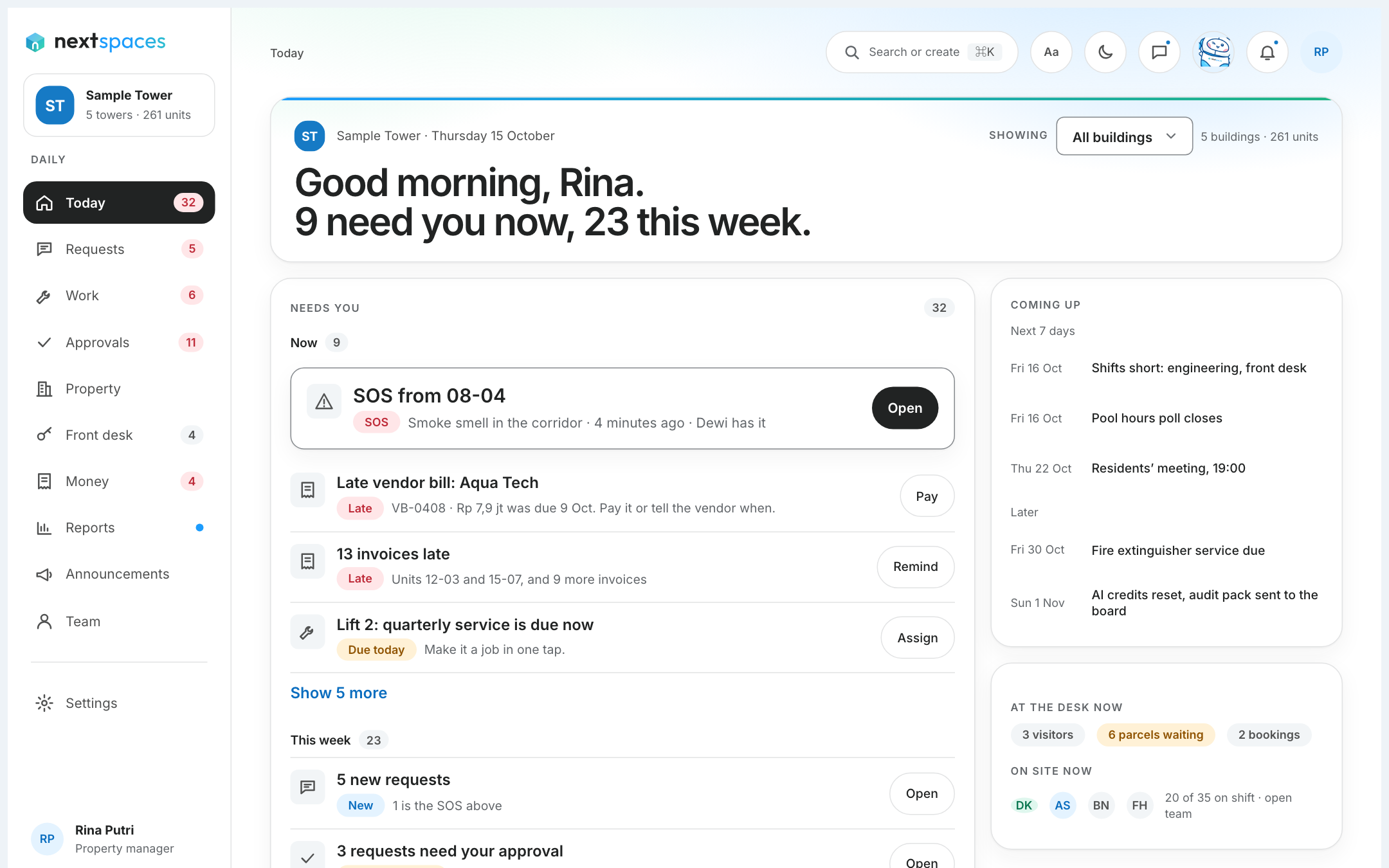
Ask Nexo. It shows you where.
Nexo answers from your building’s own guides, takes you to the right page, and hands the problem to our team with everything attached when it cannot solve it.
- Answers come from your building’s guides.
- A “Show me” button opens the right page.
- Our team gets the page, your role and what you did, so you never explain twice.
How do I make an audit pack?
Open Reports, then Audit pack. Pick what to include and the period.
Show meStart every morning with one list.
Manage ranks everything by urgency: a repair quote waiting for a decision, a request that needs a reply, a job to verify. Open an item, act, and it clears itself.
- Requests, work orders and approvals in one place.
- Every approval keeps who, when and why.
- Works on the desk and on a phone.
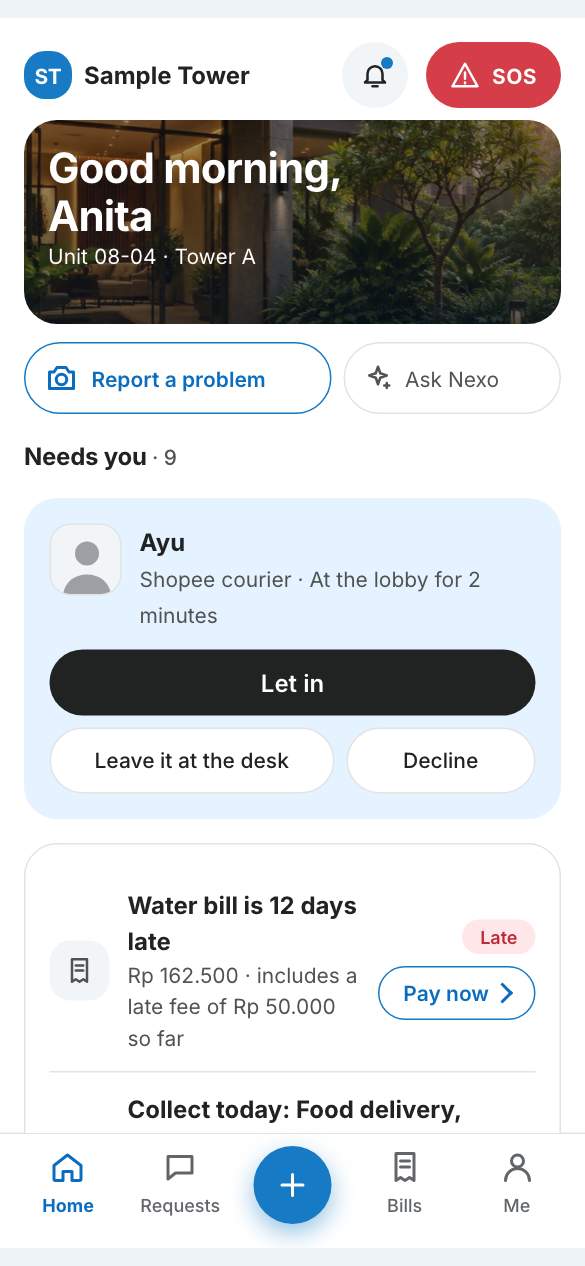
Residents report, pay and let people in.
The Resident app is for the people who live and work in the building: report a problem with a photo, follow it until it is fixed, and confirm the result.
- Report a problem with a photo and follow it to done.
- Get a notification when something changes.
- Install it on the home screen, like an app.
One team console behind every property.
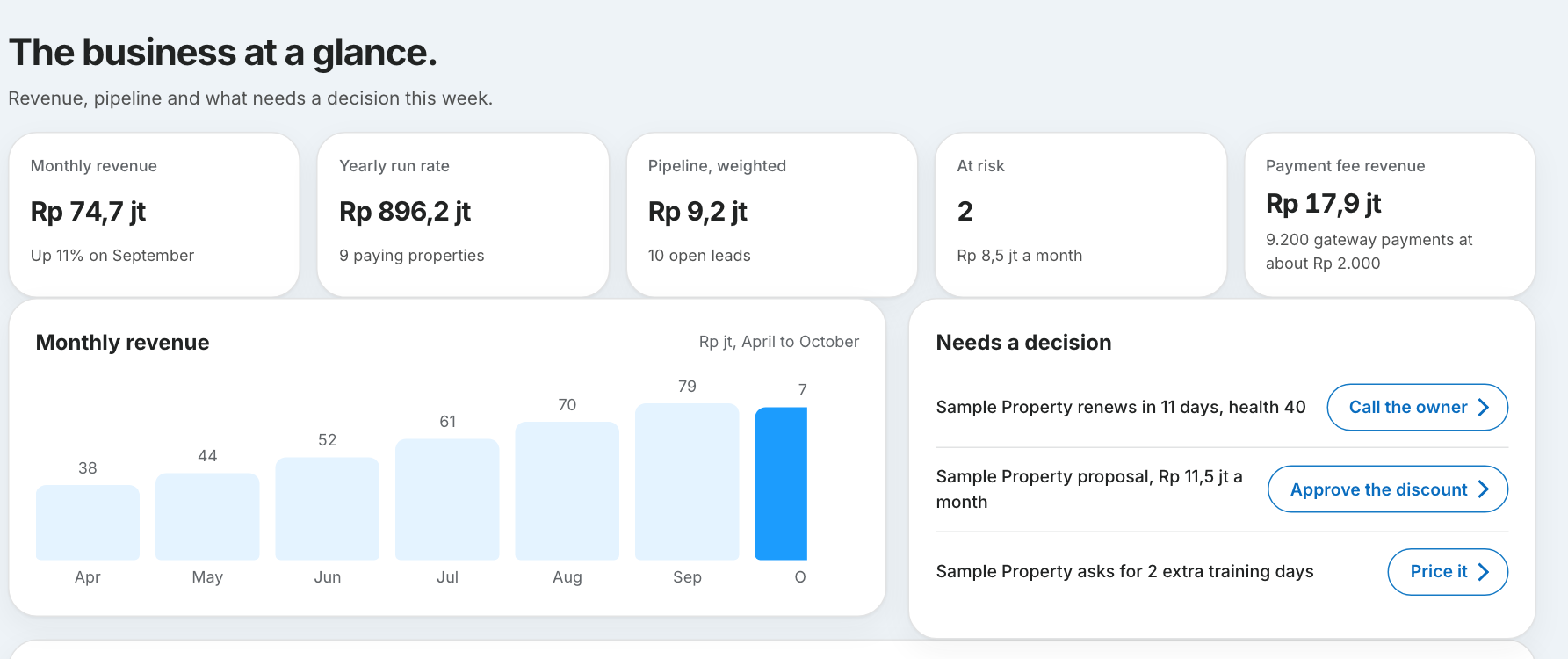
Nextspaces HQ is where our own team sets up properties, follows renewals, handles billing and support, and sends release notes and banners into your app.
- Properties are set up and followed through from one console.
- Release notes and banners reach your team inside Manage.
- Customer health and renewals are watched before they become a surprise.
In an emergency, someone takes it.
A resident presses SOS. The front desk and managers see it first on their list. It keeps alerting until a person takes it, and it escalates if nobody does.
- Always on the resident’s screen.
- Always at the top of the team’s list.
- Never automated, never behind a plan limit.
Bills that get paid. Books that close.
Invoice by bank transfer, virtual account or QRIS. Remind residents, confirm a transfer with its proof, close the month, and hand your accountant records they can use.
- Fees are shown before anyone pays.
- Owner statements and a one-click audit pack for your board.
- Every figure links to the records behind it.
Your language. Their language.
Staff work in their language and residents read in theirs. The layout is built to flow in any direction, so adding a language never means redrawing the page.
Available today: English. Next: Bahasa Indonesia, Japanese, Korean and Chinese.
Early accessEverything in the box.
24 features work today, and 19 more are on the way. Every one is listed, with whether you can use it now.
See every featureComing soon: early access
We are opening Nextspaces to a first group of properties. Early access is not open yet, so there is nothing to fill in today. Browse the features to see what is ready.
See every feature